Why two rigs? Isn’t one enough?
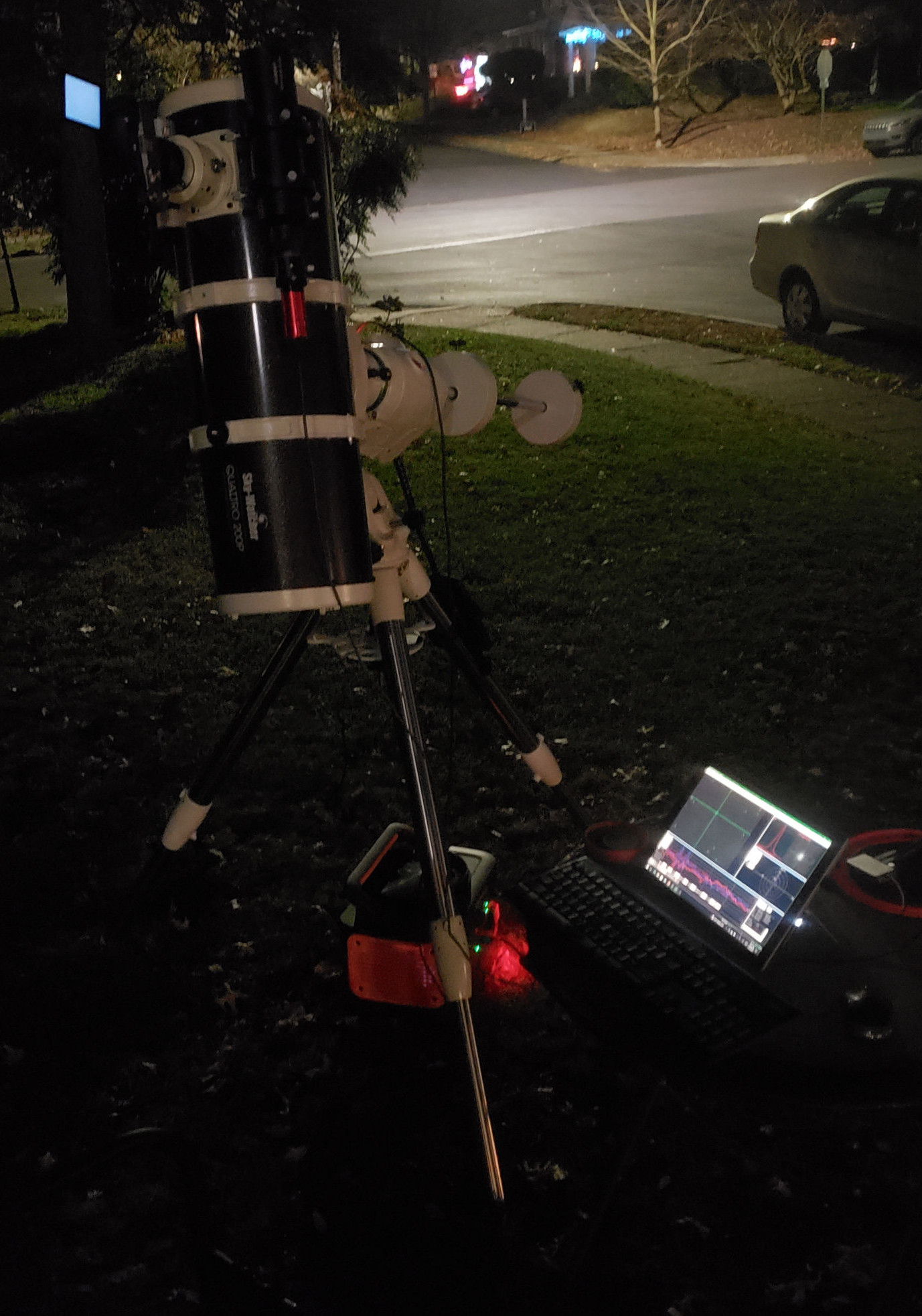
Back at the beginning when I took my images with a Sony 7C and didn’t have a lens hood. The astute observer will also see NINA on a Surface Pro 3 instead of my current Gentoo-compiling N100 Mini PC running KStars/EKOS/INDI.
I’ve had a Sky Watcher Quattro 200P F/4 Newtonian telescope for several years now and have successfully used it in conjunction with ts dedicated coma corrector and a Sky Watcher EQ6R-Pro mount to take images of deep space using a Sony 7C camera and both ZWO ASI2600MC-Pro one-shot-color (OSC) and ZWO ASI2600MM-Pro monochrome astrophotography cameras, the latter combined with “Dark” LRGB bandpass and EDGE 4.5nm S, H, and O narrowband filters from Antlia. The biggest issue with this rig at this stage is the (in comparison to the other parts, at least) “budget” nature of the telescope for being such a wide aperture (8" or 200mm) and relatively fast optically (F/4). Corners were cut to keep the price down, and the more precision I’ve wanted from this OTA, the more parts I have had to replace. At some point it will be a totally different telescope, except for the metal tube and (perhaps) the mirrors. Mirror holders cutting weirdly into the aperture, light leaks around the focuser, a spider vane that moved if you looked at it funny, a tube so short it should come with a lens hood. The next most actionable, and perhaps last, thing that I think is limiting this rigs potential is the focuser stability, but wading through the focuser options for 8" newts, even of this specific telescope, is far more difficult than using BlurXterminator to fix the issues the focuser causes.
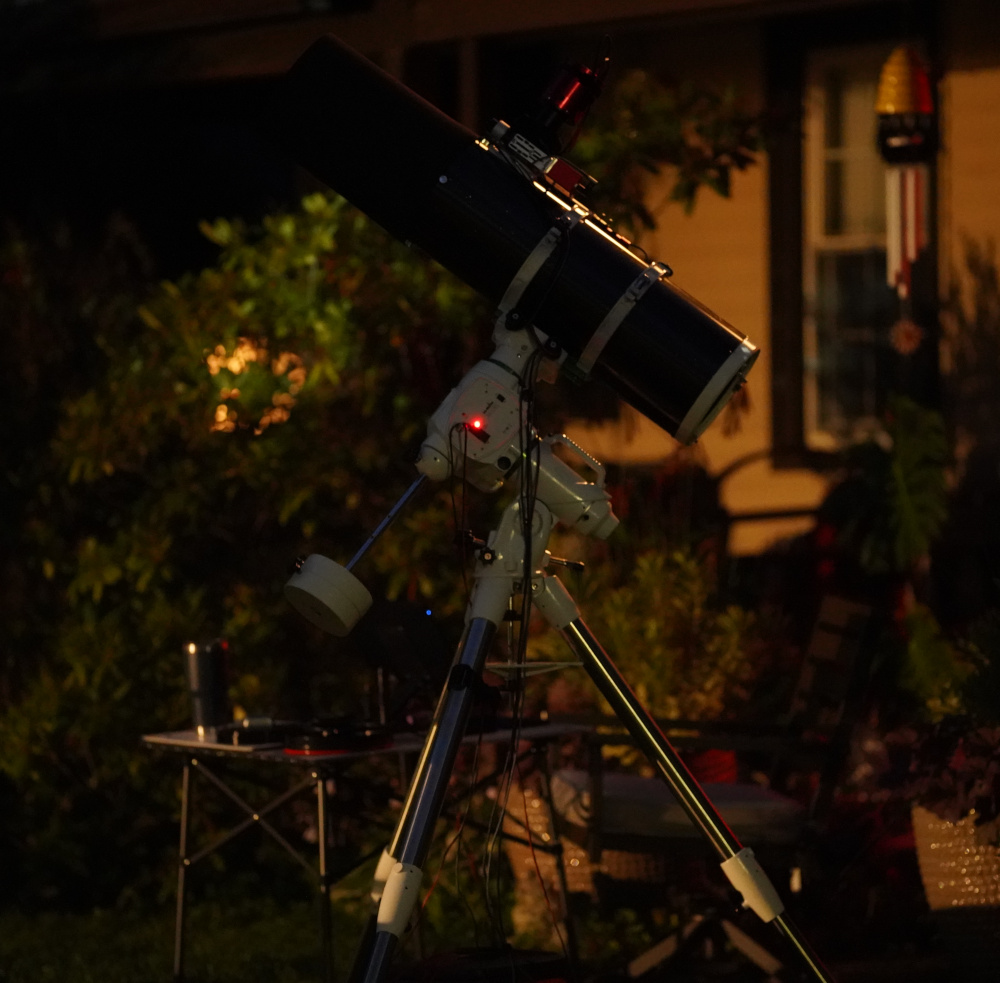
With the ASI2600MC-Pro and custom lens hood from cosplay foam and (later) black flocking tape.
Tilt is the problem. As the telescope swings from one side of the sky to the other, the weight of the camera causes the focus assembly to physically sag enough to move one side of the camera sensor just a bit out of the ideal focus and the other side just inside. If it were a uniform in-or-out periodic refocusing would handle this with no issue, but since its not, the images taken throughout the night drift a bit in terms of which part of the image is best in focus. Stacking (averaging) the resulting images as one typically does produces an image that is just a bit fuzzier than in focus. This is worse the faster (lower F-number) the optics are, as the focal plane is more narrow and smaller shifts cause more defocusing, and decently hard to manage on and F/4 scope. What’s worse is this also impacts the ability of the coma corrector to correct for coma, meaning towards the edges of the frame the stars may be distorted / stretched into odd shapes. In reality, these impacts are decently small, and fixable in post processing using models that understand optics, but one always wants the best data one can get.
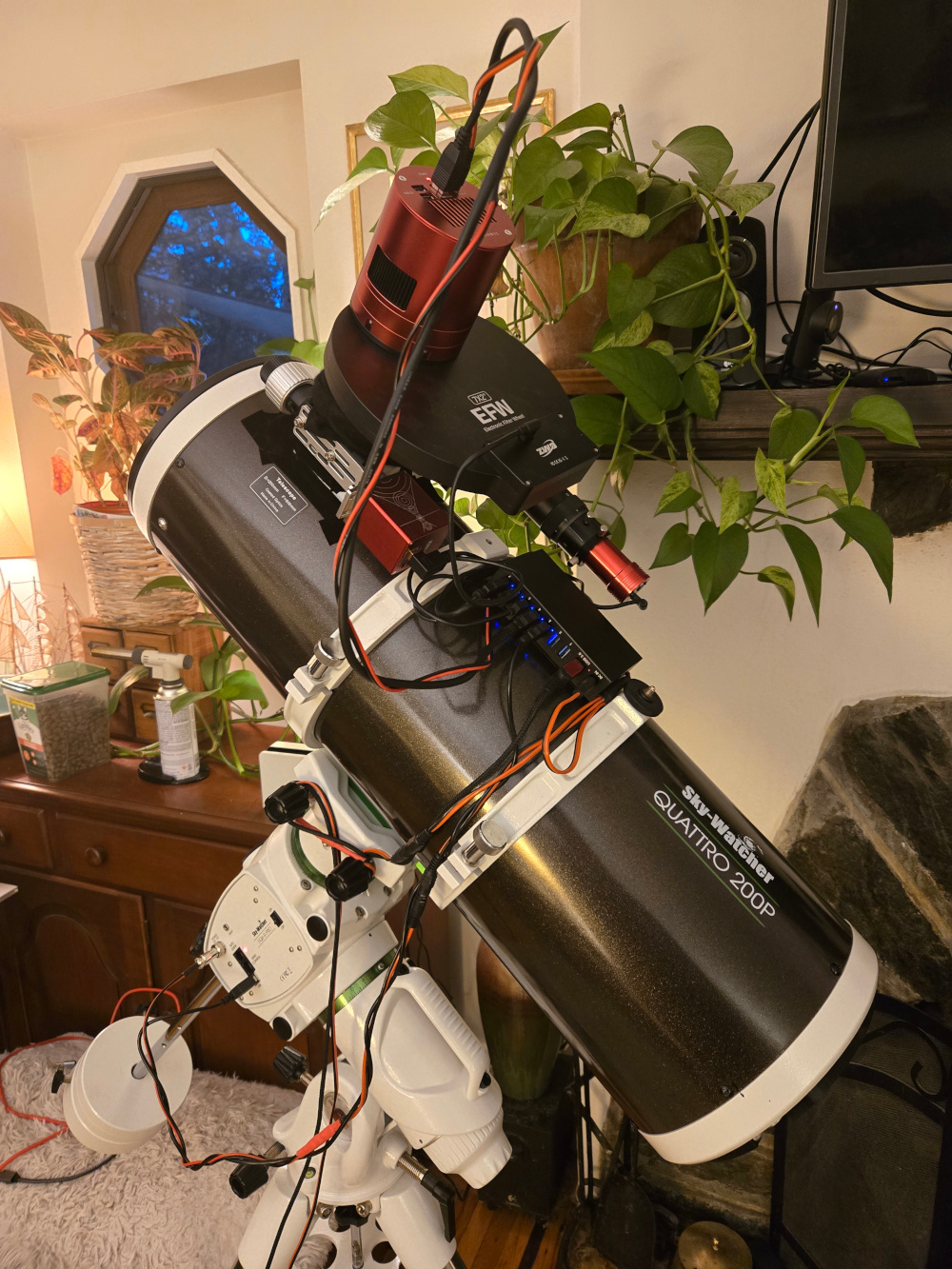
Another picture of the not-new telescope – I have very few of the new one yet – showing the mono camera assembly with filter wheel enclosure. This is how to take the highest resolution RGB images and also how to take narrowband falsecolor images. You can also see the new cabling and hub in this image.
To that end, I started looking at better telescopes – not as fast, but better corrected for aberrations, more stable, and less error prone. Refractors own that area, generally being somewhere between F/5 and F/7, as well corrected as you’re willing to pay for, and covering the short to around 1000mm focal length range or more if you can afford it. With my astro cameras sized at APS-C instead of full frame, and with decently sized 3.76 um pixels, I won’t need top of the line glass to get good stars. This led me to looking at a the relatively affordable mass-produced telescope from Askar. After dealing with tilt for years, I decided to go with a Petzval design at 300mm focal length and 60mm aperture for a decent optical speed (F/5), the Askar FRA300 Pro, because:
- 300mm frames a lot of nebula very well on APS-C without being too wide-field.
- This telescope cost less than the Quattro 200P OTA alone, while having -
- A perfectly flat field with no back spacing requirements is a godsend compared to my existing rig.
- Being F/5 it’ll only take about 1.5 times as long as I’m use to at F/4 on targets
- It’s relatively light weight, also a plus compared to a huge newt.
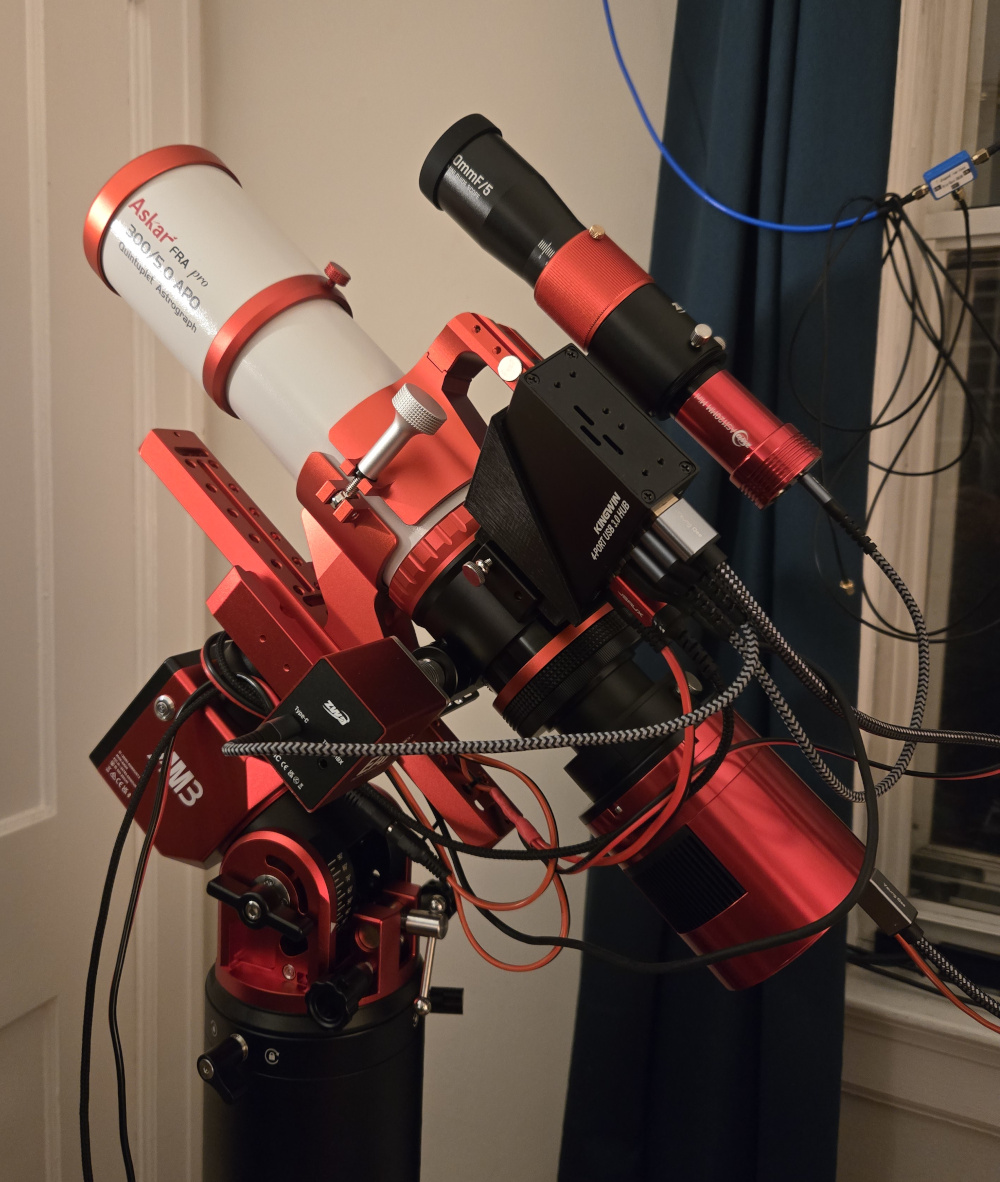
The Askar came with a great mount attachment with a shoe for the guidescope and USB hub. The focuser and camera rotator are fantastic as well. I can easily pick up the entire rig assembled and carry it down stairs!
To go with it, I planned for portability and got a ZWO AM3n, a new guide scope (ZWO 30mm F/5) and camera (ASI220MM, which went on the newt’s 60mm guide came as an upgrade, freeing the ASI120MM for this wider FOV), and redid both my rigs to have power distribution and USB hubs on the telescope, instead of running all of the now numerous devices back to my mini PC’s hub where they would not fit. By sheer luck, this all comes in under 10A at 12V, usually hovering just over 9A. I upgraded my battery pack power distribution to dedicated 14AWG runs to each rig’s power distribution to mitigate voltage drop, primarily with DC5521 and DC5525 plugs, but using SAE connectors closer to the batter for interoperability.
Where the luck run out was the assumption that this dual rig setup would be easy to control from one mini PC, because of course I am going to use as many telescopes as I can on a clear night, and mini PCs are very expensive right now. ASCOM users are out of luck, but if you’re on Linux using KStars and EKOS plus INDI, here’s how to set up and control two separate rigs.
The primary players
KStars / EKOS
If you do astrophotography on Linux, you probably already use the KStars bundle of software from KDE, which includes the rig management interface caleld EKOS. It is very straightforward to use for a wide range of hardware, provided that hardware is all on one mount and you don’t have any duplicate pieces (e.g. two EAFs). The multiple mount issue is not technically solvable within KStars or EKOS – it fundamentally supports exactly one actively imaging train which can have exactly one mount, as far as I can tell, or at the very least there are a lot of things you cannot do for two mounts simultaneously. For example, if cameras on two different rigs need to focus at the same time, one instance of EKOS only has one focuser window, and ditto for guiding or sequence acquisition. EKOS can give you a false sense of security by successfully loading and connecting to all if your hardware, allowing you to control it all individually, all from the same instance, but only allowing you to actually acquire images with one rig at a time.
The fix for this, ultimately, is running two copies of KStars each with their own EKOS interface. Instructions for that will come with the technical bits later.
INDI
In most circumstances, EKOS can start INDI for the user, and they don’t have to think very hard about what it is or how it works.
Simply choose the drivers for your hardware in the UI and hit connect!
In the background, EKOS launches the completely separate indiserver software, which acts as a hardware server for EKOS to connect to with sockets.
That design principle lets INDI work over a network, allowing the hardware to be on a completely different machine transparently to the downstream control software.
It also make it straightforward to run multiple, or custom, INDI servers on one machine by binding and connecting to custom ports.
In the usual workflow, the INDI started by EKOS is configured by EKOS, and you might think the easy route is to just let our soon-to-be-two separate instances of EKOS launch their own INDI servers.
WRONG. Or, rather, it won’t work in a lot of common circumstances, and the reason is down to how the hardware drivers within INDI connect to the underlying hardware.
INDI drivers
INDI is not a monolithic software, and separate vendor/community supplied programs control the actual hardware, providing INDI an abstracted hardware interface much like ASCOM drivers.
EKOS selects which ones, and indiserver starts them, bundling everything up into one control plan for EKOS.
The only problem with this is its then down to the nature of the individual drivers as to how they handle hardware you may or may not want to control.
For instance, if you have two/several ZWO cameras, some on one rig and some on another, and you use the indi_asi_ccd driver in two indiserver instances on the machine the hardware is all connected to, both copies of indi_asi_ccd driver will enumerate all devices and try to connect and control all of them.
I suspect if your hardware was truly using separate drivers on each rig, or there existed some way to truly limit devices each indiserver saw without too much pain, this might work fine.
Gemini, the Google AI, came up with all sorts of wild ideas to try to accomplish this, including being convinced INDI device nicknames or driver aliasing could somehow make this work (it did not).
Perhaps for some drivers that is a valid path, but in my experience the indi_asi_ccd and indi_asi_focuser driver always enumerate all devices and that is not configurable in any way.
I did not take the suggestion from Gemini to start hardware namespaces or docker containers using USB passthrough to hide certain devices from certain indiserver but I will grant that might work.
In the end, the solution here was to run one indiserver connected to all devices, and somewhat surprisingly connect both EKOS instances to it as a remote server, despite being local.
In this configuration, the builtin EKOS support for duplicate hardware of the same type, but only one rig at a time, works beautifully, not messing with the hardware of the other EKOS as long as the optical trains are configured correctly.
The technical details
One INDI server
You would be excused for assuming the INDI drivers were the technical details, but in the end you really just need to know which of them are needed to control all of your hardware, and list them as arguments to indiserver. In my case that is
indi_eqmod_telescope- The EQ6R-Pro or any other EQMOD serial protocol mount. INDI classifies mounts as telescopes and has no concept of the glass.indi_lx200am5- Somewhat confusingly named; all ZWO AM series mounts use a variant of the LX200 serial mount control language and this driverindi_asi_focuser/indi_asi_wheel- ZWO EAF / ZWO EFW all modelsindi_asi_ccd- Also somewhat confusingly named; covers all ZWO cameras - pro, guide, etc
For better or worse, there aren’t really a lot of configuration options here, but you can configure it through EKOS after connecting as usual.
I choose the default port and put the launch command in a bash script for future use.
The -u /tmp/indiserver argument is for the local socket the drivers communicate on. This could be left as default but must be unique if you are running multiple servers.
#!/bin/bash
exec indiserver -v -p 7624 -u /tmp/indiserver \
        indi_eqmod_telescope \
        indi_lx200am5 \
        indi_asi_focuser \
        indi_asi_wheel \
        indi_asi_ccd
Since it’s a socket protocol, multiple EKOS clients can connect to this server, which acts as a one stop shop for hardware access. INDI doesn’t really know anything about which hardware belongs to what rig, nor does it need to.
Two KStars
INDI turned out to be the easy part once I realized I should run one instead of two. KStars required some deep knowledge of Linux user configuration management and interprocess signaling systems.
Isolate the settings
THe first issue is that while you can open two independent copies of KStars easily, they will fight over any program-scoped user configuration.
The canonical way to isolate this is to specify unique paths for the environment variables XDG_CONFIG_HOME and XDG_DATA_HOME which are typically ~/.config/ and ~/.local/share/ respectively.
A complicating factor here is that KStars has a lot of data associated with platesolving and catalogs, nearly 30 GB depending on how much you install.
To mitigate this, I created ~/{mount}/config and ~/{mount}/share for my eq6r and am3n, and prepopulated them with my existing KStars config with symlinks to the heavy, shared, one-time-download data.
mkdir -p ~/am3n/{config,share}
ln -s ~/.local/share/kstars/astrometry ~/eq6r/share/kstars/ # this is the lion's share
cp -r ~/.config/{kstars*,session} ~/eq6r/config/
cp -r ~/.local/share/kstars ~/eq6r/share/
# Same for ~/am3n/
Now the command
XDG_CONFIG_HOME="~/eq6r/config/" XDG_DATA_HOME="~/eq6r/share/" kstars
and the command
XDG_CONFIG_HOME="~/am3n/config/" XDG_DATA_HOME="~/am3n/share/" kstars
should launch totally separated instances of KStars.
Unfortunately you have to keep track of which is which, and I would recommend multiple virtual desktops, since the KStars windows themselves can be indistinguishable.
Fortunately the EKOS windows tend to have some sort of unique naming or configuration on them – at least the running profile name.
Even though the INDI nicknames don’t isolate devices at all, I do recommend nicknaming devices that are duplicated (e.g. two ZWO EAFs) so that you don’t accidentally control one from the other instance at the wrong time. Another mild annoyance is that both mounts are accessible in both KStars windows for goto at all times. I have accidentally moved a telescope from the other window during an acquisition. This isn’t really a flaw of the dual instance route, since you can also move a mount accidentally during an acquisition by miss-clicking in a single instance, its just a bit more likely when you have to configure and frame another rig.
Isolate the communication
The problem with only separating the on-disk configuration is that, it turns out KStars has a lot of code to synchronize multiple live instances, possibly to avoid issues with multiple copies of the program colliding. The first clue to a problem was when the second instance was not able to start an acquisition and got stuck on the initial focusing step, never actually focusing. Looking at the first instance, a focus cycle had been started mid-acquisition and left the sequence in a sort of limbo. The common solution to this issue seems to be to run KStars under different user sessions, but that seems like as poor a remedy as isolating INDI from certain hardware using containers and namespaces.
As it turns out KStars was doing the sequence control with DBus messages, which are indeed shared by each program in a session, unless you start a fresh dbus and setup the right environment variables. In the end, I landed on two bash scripts, one for each mount, that launched a DBus-isolated config-isolated KStars stack.
For the EQ6-R + Newtonian rig:
#!/bin/bash
exec dbus-run-session env \
    XDG_CONFIG_HOME="~/eq6r/config/" \
    XDG_DATA_HOME="~/eq6r/share/" \
    kstars
And, for the new AM3n + Refractor rig:
#!/bin/bash
exec dbus-run-session env \
    XDG_CONFIG_HOME="~/am3n/config/" \
    XDG_DATA_HOME="~/am3n/share/" \
    kstars
The results
After paying the requisite cloudy-night tax for assembling a new rig, I finally made it out on a clear night August 19th and imaged the Lobster Claw nebula with the narrowband and monochrome rig on the Newt, and the Cygnus Loop with the Askar to break it in. I think both turned out great despite only being a few hours of data.
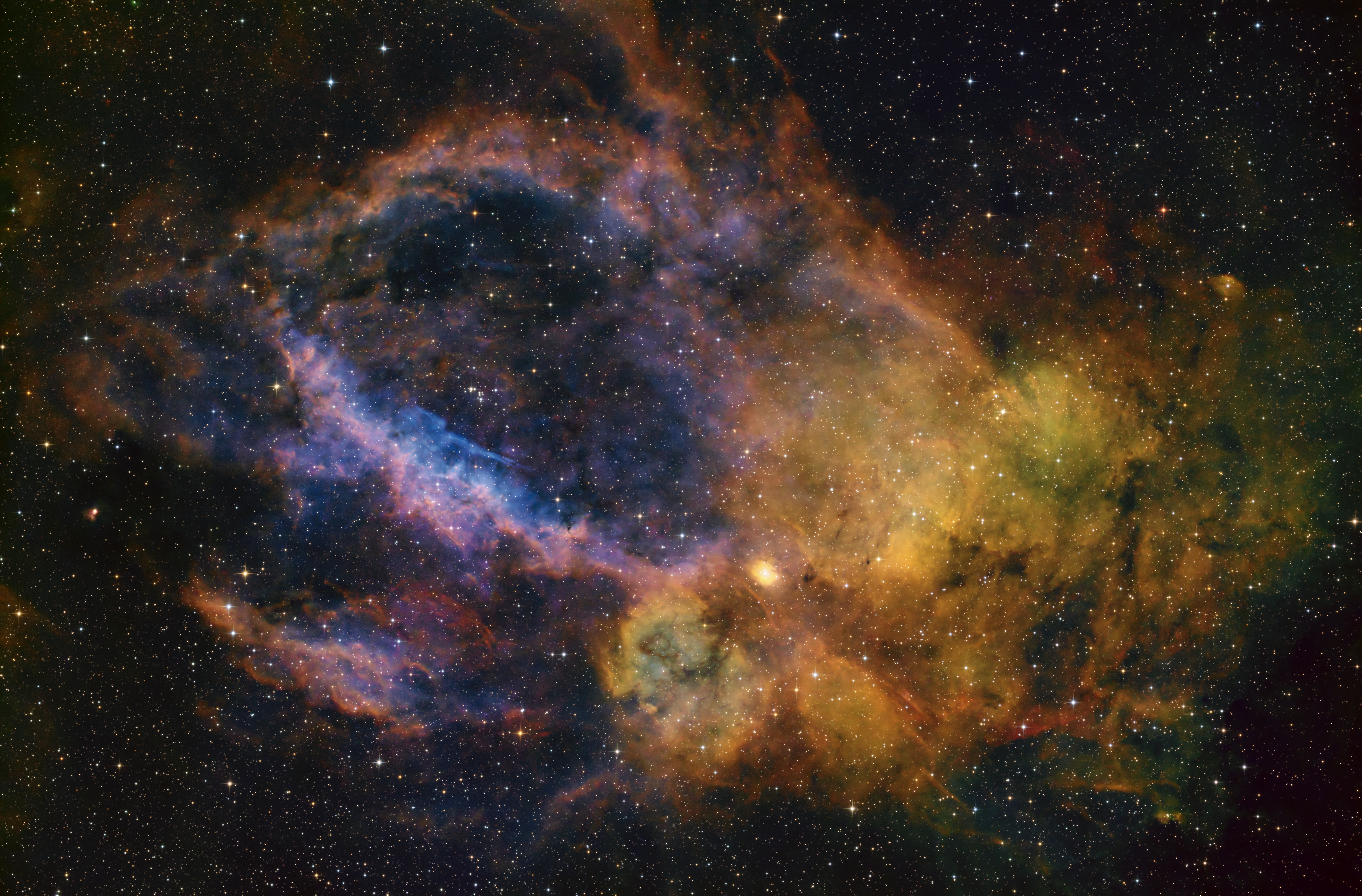
The Newt rig with the narrowband filters was set to capture the Lobster Claw Nebula, Sh2-157, an H II emission region located roughly 11,000 light-years away on the Cassiopeia–Cepheus border, spanning over 90 arcminutes (about three Full Moons) across. The gas is ionized primarily by massive O-type stars and the Wolf-Rayet star WR 157, and glows bright in S H, O. Its structure features prominent, curved hydrogen filaments wrapping around a distinct O-rich interior cavity.
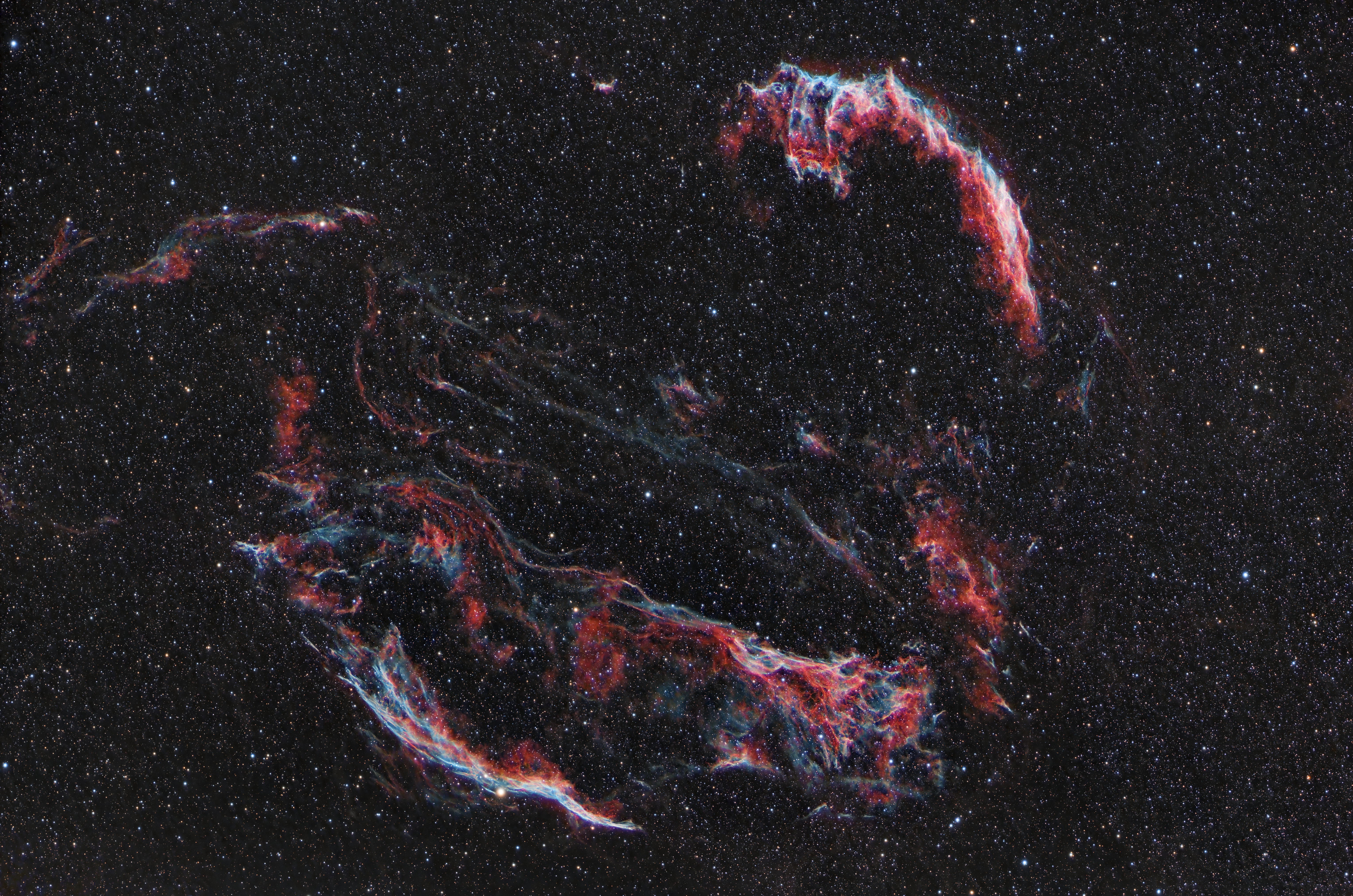
The Askar FRA300-Pro and AM3n using the ASI2600MC-Pro and my Dualband H+ filter were pointed at the Cygnus Loop, Sh2-103, a supernova remnant roughly 2,500 light-years away. Covering a whopping three degrees (about six Full Moons) in the night sky, it frames well in the Askar’s larger FoV. Formed around 20,000 years ago by the core collapse of a massive star, its delicate, filaments glow brightly as the expanding supersonic shock front collides with and excites the surrounding interstellar medium, producing brilliant H and O emissions.